Wednesday, February 22, 2017

Sequential Pro-One (1981) & E-mu Emax (1986) - dark wave synthesizer live jam
Published on Feb 22, 2017 RetroSound
"(c) 2017 vintage synthesizer demo by RetroSound
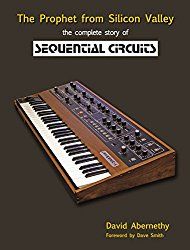
all bass sounds: Sequential Circuits Pro-One Analog Synthesizer (1981)
lead, pad, fx sounds including drums: E-MU Emax SE Sampling Synthesizer (1986)
all played by hand
recording: multi-tracking without midi"
See dealers on the right for pricing and availability on gear.
LABELS/MORE: Emu, Sequential Circuits
LABELS/MORE: Emu, Sequential Circuits
A few Roland System 500 sounds
Published on Feb 21, 2017 AiynZahevSounds
"I captured this video end of last year, I'm explaining to my nephew how synths work. Voices are very low, but the synth audio is straight into an RME FF800.
I absolutely love the System 500."
Circuit meets Minilogue
Published on Feb 22, 2017 BoBeats
"Novation Circuit meets Korg Minilogue in this electro jam. How do you like the small breaks where I talk? I thought it would make the jam videos more varied."
Bastl tour
Streamed live 5 hours ago cuckoomusic
"Say hello to Bastl Instruments"
See dealers on the right for pricing and availability on gear.
LABELS/MORE: Bastl Instruments, DIY, eurorack, Interviews
LABELS/MORE: Bastl Instruments, DIY, eurorack, Interviews
New Sounds from Richard Devine - AAS Epicycles Library Review
Published on Feb 22, 2017 Synth Anatomy
"►Please support my channel and blog here: https://gum.co/Aeblz
►AAS released in 2016 a sound library "Epicycles" designed by Richard Devine for Chromaphone 2. Check out the video for the sound demo and review.
►AAS Chromaphone 2: https://goo.gl/fNV6GU
►AAS Epicycles Sound Library: https://goo.gl/ArGmx1
►AAS Libraries for Chromaphone 2: https://goo.gl/kvhJVm"
See dealers on the right for pricing and availability on gear.
LABELS/MORE: Ableton, Applied Acoustics Systems, Soft Synths
LABELS/MORE: Ableton, Applied Acoustics Systems, Soft Synths
Arped and Dangerous with Roland System-1, JP-08 and TR-8... Live Music
Published on Feb 22, 2017 Fantastic Beats and Where to Find Them
Cool blue overlay for the System-1.
BEHRINGER DEEPMIND 12 CHILL MUSIC :: Slippery Elm ~ The Grid Ep.01
Published on Feb 22, 2017 once upon a synth
"A short song featuring 4 tracks of Behringer Deepmind 12 as well as drums from Ableton Live. This is the first episode of a new series called 'The Grid' where I record songs using at least 4 tracks laid out on a grid. Most of the time I'll try to use a single synthesizer for all 4 tracks."
Yamaha CS30 L: BRRRROWWOOOWWWOOAAARRRRRPPP
Published on Feb 22, 2017 se7ense7
"More exploration of the Noise Spectrum Sonology on this monosynth."
TEMPI v31 new firmware features and functionality
Published on Feb 22, 2017 MAKEN0ISE
"TEMPI31 is a new firmware for the TEMPI module that adds new functionality. See the included revised manual for full details on the update feature set.This new firmware may be be loaded into your TEMPI using the included TEMPI31.wav file.
PLEASE NOTE:
If your TEMPI flashes Buttons for CH.s 1, 2, 3, 4 and 5 on power up, you already have TEMPI31, the latest version of TEMPI firmware. There is no reason to run this update.
If your TEMPI is marked with v31 on the backside of the module, you already have TEMPI31, the latest version of TEMPI firmware. There is no reason to run this update.
New Features
(see new Manual Revision for full description of new features and behaviors)
1. BUTTON1 may be set to Leading Tap Tempo. When this option is set to ON, Button1 sets the Tempo referenced by ALL channels when calculating divisions and multiples. Once set, it is still possible to Machine Program Channel 1 to tempi other than 1/1. This option is engaged on the new CLOCK EDIT page in item (3) below.
2. New option for quicker MACHINE programming: during Coarse Machine Programming, while holding down relevant PGM button, press opposing PGM button to double the divisor or multiplier. For example, hold PGM_A and press BUTTON2 twice for /2, then, still holding PGM_A, press PGM_B once for /4, twice for /8, etc.
3. New Page: CLOCK EDIT. Access Clock Edit Page by double-pressing PGM_A and PGM_B simultaneously. On this page each channel can be set to output CLOCK (BUTTON lights BLUE) or TRIGGER (BUTTON lights OFF). Additionally, Ch1 can be set to have its Coarse Human Programming behavior replaced with Tap Tempo, with its BUTTON lighting on this page as follows: PURPLE for Tap Tempo/Clock output, RED for Tap Tempo/Trigger Output (BLUE and OFF are the same as all other channels).
4. On Program Edit Page, Run/Stop and Shift can now both be enabled at once (Buttons 4 and 5 both lit). When both behaviors are enabled, the State Select Gate input is used for Shift, and the Mod input for Run/Stop. When only one behavior is enabled, the Mod input is used as before. Button6 on the Program Edit Page now selects Jumbled or Unjumbled for both Shift and Reset information. Run/Stop Toggled option is removed."
See dealers on the right for pricing and availability on gear.
LABELS/MORE: eurorack, Make Noise, synth tutorials
LABELS/MORE: eurorack, Make Noise, synth tutorials
PREVIOUS PAGE
NEXT PAGE
HOME
© Matrixsynth - All posts are presented here for informative, historical and educative purposes as applicable within fair use.
MATRIXSYNTH is supported by affiliate links that use cookies to track clickthroughs and sales. See the privacy policy for details.
MATRIXSYNTH - EVERYTHING SYNTH
© Matrixsynth - All posts are presented here for informative, historical and educative purposes as applicable within fair use.
MATRIXSYNTH is supported by affiliate links that use cookies to track clickthroughs and sales. See the privacy policy for details.
MATRIXSYNTH - EVERYTHING SYNTH